
Accessing a Cluster#
Prerequisites#
The following tools are required to follow this guide.
Overview#
Accessing an Xsolla Backend engine cluster for administration purposes can either be done using the Xsolla Backend Admin Console or directly managed using Kubernetes. In order to administer the cluster using Kubernetes the kubeconfig file used to install the cluster will be needed.
Checking System Health#
Using Admin Console#
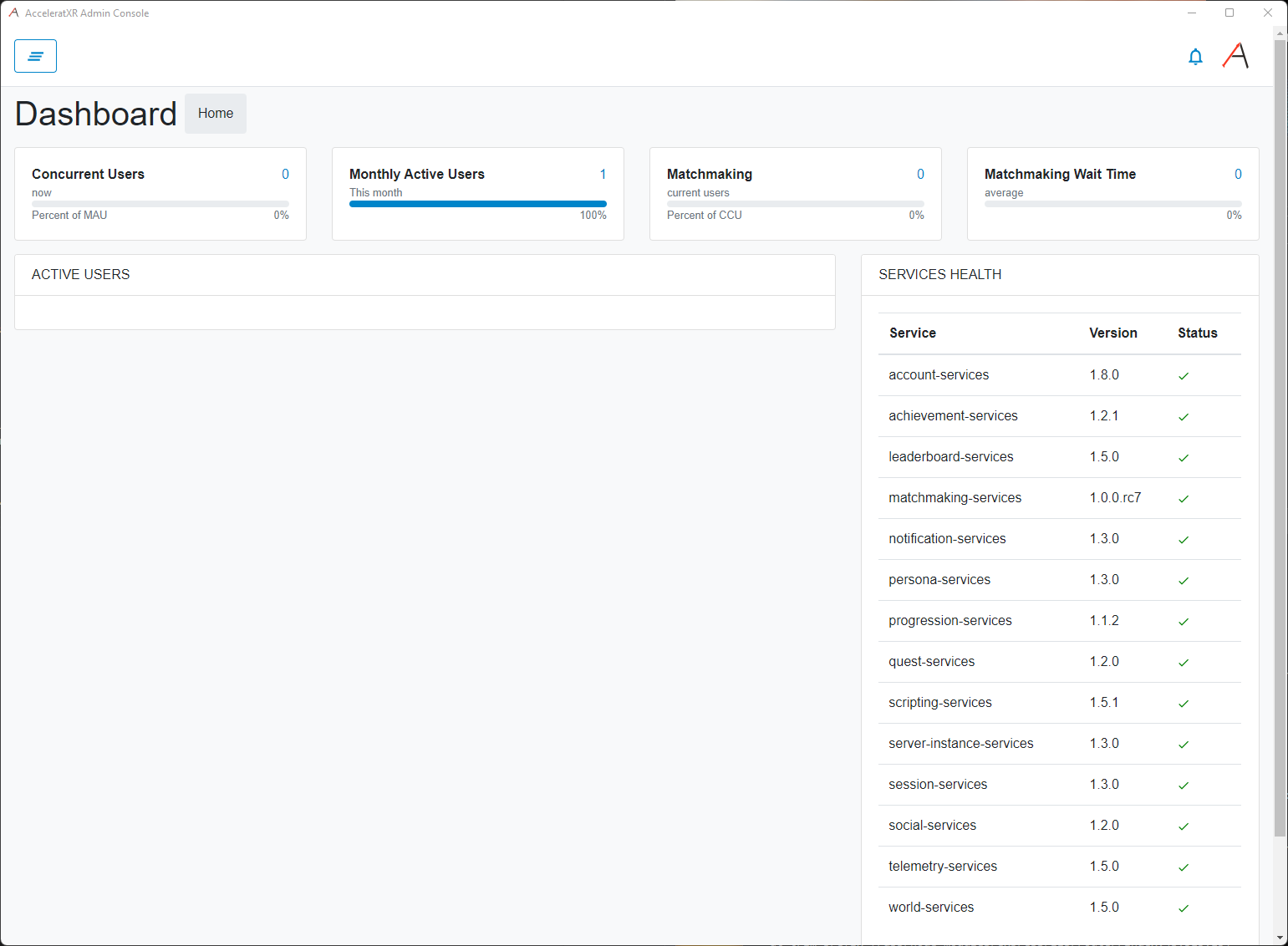
Checking the system health with the Xsolla Backend Admin Console is incredibly easy. Simply log in to your cluster and the dashboard page will show you the health of all deployed services as well as their currently deployed versions. This is the simplest way to check the health of your cluster:
Using Kubernetes#
It’s very easy to check the system health of an Xsolla Backend cluster using Kubernetes’ kubectl tool.
This is done simply with the kubectl get pods command.
kubectl -n axr-demo-v1 get pods
The above command will display the system health of the Xsolla Backend cluster installed to the axr-demo-v1
namespace. In this example we are checking the official Xsolla Backend demo environment. The result should look =
like the following:
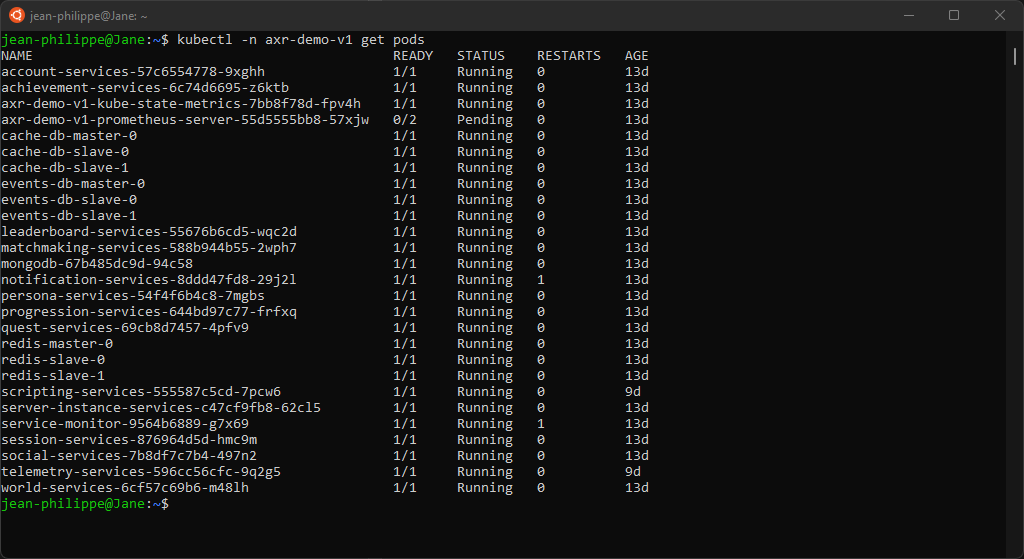
If everything is running correctly you should see at least one pod for each system service in the Running state. You will also see additional pods such as the various databases and monitoring systems.